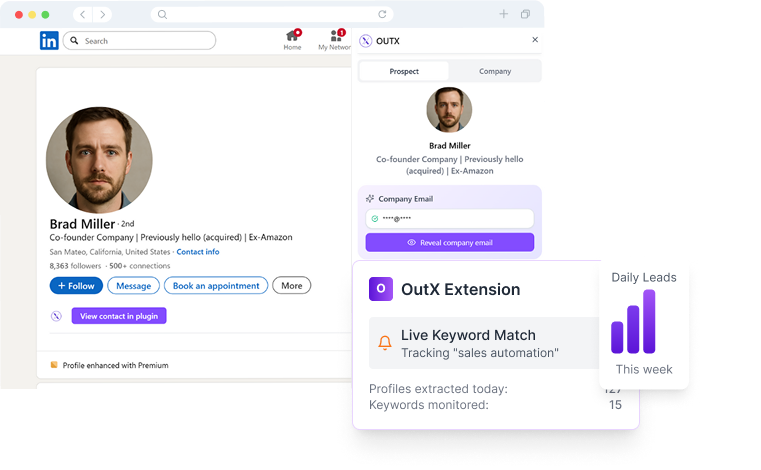
Turn LinkedIn profiles into actionable contact data. Discover verified email addresses and phone numbers for any professional. Boost your outreach success with accurate contact information that actually works.


Export Targeted Leads with Emails & Phone Numbers – Download Sales Navigator Data to CSV in Seconds
Quick setup with our Chrome extension.
Run Sales Navigator searches and extract leads instantly.
Download as CSV or sync with your CRM and start outreach.
OutX uses a multi-step verification pipeline to turn a phone number into a verified professional email address. Here is what happens behind the scenes when you run a lookup.
Enter a single phone number or upload a list in bulk. OutX normalizes formats automatically, handling country codes, extensions, and local number variations so you do not need to clean your data first.
The system queries public business directories, LinkedIn profiles, company websites, professional databases, and social platforms. Multiple independent sources must agree before a match is returned, which is how OutX maintains its 95% accuracy rate.
Every candidate email is verified in real time. OutX checks MX records, SMTP handshake responses, and catch-all detection to confirm the address is deliverable before returning it to you. This step eliminates bounced emails and protects your sender reputation.
Results include the verified email address plus additional context: full name, job title, company, LinkedIn profile URL, and a confidence score. Export to CSV or push directly to your CRM with a single click.
Sales teams, recruiters, and growth professionals rely on phone-to-email lookups to fill gaps in their contact data and launch multi-channel outreach faster.
You have a prospect's direct line from a conference badge or business card but need their work email to send a follow-up. Use the phone number to instantly retrieve verified email addresses and build a multi-touch outreach sequence across email and phone.
Recruiters often collect phone numbers from referrals or job boards. Converting those numbers into email addresses lets you reach passive candidates through email campaigns, dramatically increasing response rates compared to cold calls alone.
After meeting someone at an event, you may only have their phone number. Finding their email allows you to send a professional follow-up, share materials, or connect on LinkedIn without the awkwardness of a cold text message.
Many CRM records have phone numbers but missing email fields. Batch phone-to-email enrichment fills those gaps, improving data completeness and enabling marketing automation workflows that depend on valid email addresses.
When you have direct lines for target accounts but need emails for personalized ad audiences and email sequences, phone-to-email lookups give your ABM campaigns the contact depth they need to reach every stakeholder.
Journalists, analysts, and compliance teams use phone-to-email lookups to verify identities, cross-reference contacts, and build complete profiles during background checks and research projects.
You can search for email addresses by hand, but it is slow, error-prone, and impossible to scale. Here is how the two approaches compare side by side.
| Criteria | Manual Lookup | OutX Automated Finder |
|---|---|---|
| Speed per contact | 5-15 minutes | 2-5 seconds |
| Accuracy | Varies widely; no verification | 95% verified email accuracy |
| Scalability | 10-20 contacts per hour | 1,000+ contacts in 15 minutes |
| Data sources checked | 1-3 (Google, LinkedIn) | 200+ cross-referenced sources |
| Email verification | None (risk of bounces) | Real-time MX & SMTP verification |
| Enrichment depth | Email only (if found) | Email + name, title, company, LinkedIn URL |
| CRM integration | Manual copy-paste | One-click push to 20+ CRMs |
| Cost per contact | High (labor time) | Fractions of a cent |
Manual email lookup makes sense when you need one or two contacts. For anything beyond that, the time investment becomes unsustainable. A sales rep spending 10 minutes per lookup will burn 8+ hours to enrich just 50 contacts. OutX processes the same list in under a minute, freeing your team to focus on what matters: having conversations that close deals.
Find professional email addresses with 95% accuracy. Our AI cross-references multiple data sources to deliver verified contact information.
Access direct dial phone numbers and mobile contacts. Skip the gatekeepers and connect directly with decision makers.
Every email and phone number is verified in real-time. Reduce bounce rates and improve deliverability with clean, accurate data.
Upload your prospect lists and enrich hundreds of contacts simultaneously. Perfect for large-scale outreach campaigns.
Seamlessly integrate with Salesforce, HubSpot, Pipedrive, and 20+ other CRMs. Keep your contact data synchronized automatically.
All data collection follows strict privacy regulations. Ethical sourcing ensures compliance with GDPR, CCPA, and other data protection laws.
Follow these best practices to maximize match rates and ensure the contact data you collect is accurate and actionable.
Mobile numbers and direct business lines yield higher match rates than company main lines. Personal mobile numbers are most likely to be linked to LinkedIn profiles and professional email addresses.
Always include the full international dialing code (e.g. +1 for the US, +44 for the UK). This eliminates ambiguity and ensures OutX searches the correct regional databases.
Remove duplicate numbers, strip special characters, and verify that each entry is a valid phone format. Cleaner inputs produce faster results and fewer unmatched records.
Providing additional context (even partial names or company domains) alongside phone numbers dramatically increases match confidence and result accuracy.
Run a small test batch of 50-100 numbers first. Review the results for accuracy, then scale up. This prevents wasted sends and protects your email deliverability reputation.
People change jobs and email addresses regularly. Periodic re-enrichment keeps your CRM data fresh and reduces bounce rates in ongoing campaigns.
Responsible contact enrichment is foundational to how OutX operates. Every lookup follows strict data protection standards, and compliance is built into the product rather than bolted on as an afterthought.
OutX processes only publicly available business data and provides a legitimate interest basis for B2B prospecting under GDPR Article 6(1)(f). Data subjects can request access, correction, or deletion of their records at any time through our self-service portal.
California residents can opt out of data collection and request deletion under the California Consumer Privacy Act and the California Privacy Rights Act. OutX honors all opt-out requests within 10 business days.
Emails sent using OutX-discovered addresses must comply with CAN-SPAM requirements: clear sender identification, a physical mailing address, and a functioning unsubscribe mechanism. OutX provides guidelines and templates to help users stay compliant.
All contact data is sourced from publicly accessible business directories, professional social networks, company websites, and opt-in databases. OutX never scrapes private communications, paywalled content, or non-public records.
Contact data is encrypted in transit (TLS 1.3) and at rest (AES-256). Access is controlled through role-based permissions, and all enrichment activity is logged for audit purposes. OutX does not sell or share user query data with third parties.
Any individual can request removal from OutX search results by submitting a request through our privacy portal. Removal requests are processed within 48 hours, and the record is permanently suppressed from future lookups.
“We used to miss out on hot leads until OutXAI. Now, our team gets real-time alerts when ICPs post or engage—it's a total game changer.”
Navjot Bedi
CDM, Workday
Everything you need to know about OutX LinkedIn automation tools